ntz$ Real cs2 settings, config & cfg 2022
| Full Name | - |
| Nickname | ntz$ Real |
| Birthday | - |
| Nationality |  Bosnia and Herzegovina Bosnia and Herzegovina |
| Game |  Counter-Strike 2 Counter-Strike 2 |
| Since | 2022-03-14 |
| Last Update | 2022-03-14 |
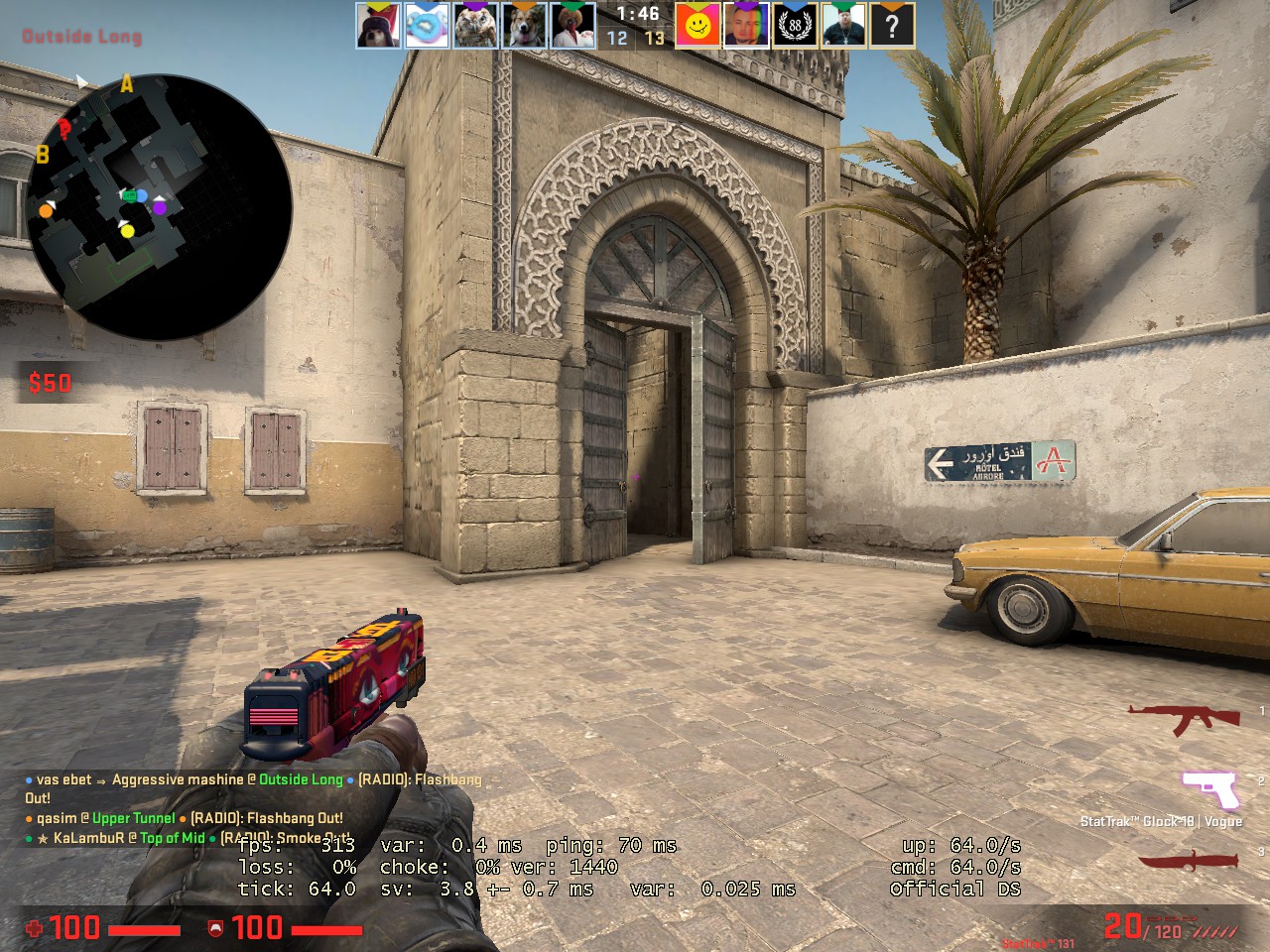
ntz$ Real screenshot
ntz$ Real Gear
| Mouse | - |
| Mousepad | - |
| Keyboard | - |
| Headset | - |
| Earbuds | - |
| Monitor | - |
| Chair | - |
| Controller | - |
| Case | - |
ntz$ Real Gaming PC Setup
| GPU | - |
| CPU | - |
| Memory | - |
| Motherboard | - |
| Power Supply | - |
| Storage | - |
| Fan | - |
| Cooler | - |
ntz$ Real config
The Counter-Strike 2 config file of ntz$ Real has been downloaded 16 times. Download CSGO.zip by clicking the download button below.
How to install ntz$ Real cs2 config
1. Download CSGO.zip by clicking the download button above.
2. Extract and/or copy file(s) into your Counter-Strike 2 folder (Example: C:\Program Files (x86)\Steam\userdata\STEAMID\730\local\cfg).
3. Launch the game and type in "exec configname.cfg" in console to load the config or make sure to add "exec autoexec.cfg", "exec userconfig.cfg" or "exec ntz$ Real.cfg" to config.cfg file in your Counter-Strike 2 folder.
2. Extract and/or copy file(s) into your Counter-Strike 2 folder (Example: C:\Program Files (x86)\Steam\userdata\STEAMID\730\local\cfg).
3. Launch the game and type in "exec configname.cfg" in console to load the config or make sure to add "exec autoexec.cfg", "exec userconfig.cfg" or "exec ntz$ Real.cfg" to config.cfg file in your Counter-Strike 2 folder.
Social Media
| Twitch | - |
| - | |
| YouTube | - |
| - | |
| - | |
| TikTok | - |
| Steam | - |
| Discord | - |
ntz$ Real Settings
Monitor
| Resolution | 1280x960 |
| Aspect Ratio | 4:3 |
| Display Mode | - |
| Brightness | - |
| Color Mode | - |
Video Advanced
| Global Shadow Quality | - |
| Model / Texture Detail | - |
| Texture Streaming | - |
| Effect Detail | - |
| Shader Detail | - |
| Boost Player Contrast | - |
| Multicore Rendering | - |
| Multisampling Anti-Aliasing Mode | - |
| FXAA Anti-Aliasing | - |
| Texture Filtering Mode | - |
| Wait for Vertical Sync | - |
| Motion Blur | - |
| Triple-Monitor Mode | - |
| Use Uber Shaders | - |
Viewmodel
| FOV | - |
| Offset X | - |
| Offset Y | - |
| Offset Z | - |
| Presetpos | - |
| Shift Left Amt | - |
| Shift Right Amt | - |
| Recoil | - |
| Righthand | - |
Viewmodel commands
Launch Options
Mouse
| DPI | - |
| Sensitivity | 1.3 |
| eDPI | - |
| Windows Sensitivity | - |
| Zoom Sensitivity | - |
| Raw Input | - |
| Acceleration | - |
Crosshair
| Draw Outline | - |
| Alpha | - |
| Color | Pink |
| Blue | - |
| Green | - |
| Red | - |
| Dot | - |
| Gap | - |
| Size | 1 |
| Style | - |
| Thickness | - |
| Sniper | - |
Crosshair commands
cl_crosshaircolor Pink; cl_crosshairsize 1;
cl_bob
| Lower Amt | - |
| Amt Lat | - |
| Amt Vert | - |
| Cycle | - |
cl_bob commands
HUD
Radar
FAQ
Summary
This page contains the in-game settings, config files (cfg) and hardware setup of ntz$ Real. The ntz$ Real cs2 settings page has been viewed for 1.553 since it was added on 2022-03-14. The last time the settings of ntz$ Real were on 2022-03-14. Visit the cs2 settings page to view more Counter-Strike 2 settings like ntz$ Real or visit upload section to add your own cs2 settings.
Other Counter-Strike 2 settings
| # | Name | Country | Last Update | |
| 1 | |  Poland Poland | 2024-05-12 | |
| 2 | |  Sweden Sweden | 2024-04-16 | |
| 3 | |  Denmark Denmark | 2022-10-15 | |
| 4 | |  Brazil Brazil | 2023-03-15 | |
| 5 | |  Czech Republic Czech Republic | 2024-05-10 |
Other Bosnia and Herzegovina gaming settings
| # | Name | Country | Last Update | |
| 1 | | Bosnia and Herzegovina | 2026-04-02 | |
| 2 | | Bosnia and Herzegovina | 2020-08-15 | |
| 3 | | Bosnia and Herzegovina | 2025-08-07 | |
| 4 | | Bosnia and Herzegovina | 2023-07-12 | |
| 5 | | Bosnia and Herzegovina | 2021-12-04 | |
| 6 | | Bosnia and Herzegovina | 2021-02-07 | |
| 7 | | Bosnia and Herzegovina | 2024-01-21 | |
| 8 |  | Bosnia and Herzegovina | 2024-02-16 | |
| 9 | | Bosnia and Herzegovina | 2022-11-29 | |
| 10 | | Bosnia and Herzegovina | 2022-03-14 |
Top 10 Games


New Setups
New Configs


Updated Gear
Updated Configs