fra2jz config cs2 settings, config & cfg 2016
| Full Name | - |
| Nickname | fra2jz config |
| Birthday | - |
| Nationality |  Russia Russia |
| Game |  Counter-Strike 2 Counter-Strike 2 |
| Since | 2016-12-13 |
| Last Update | 2016-12-13 |
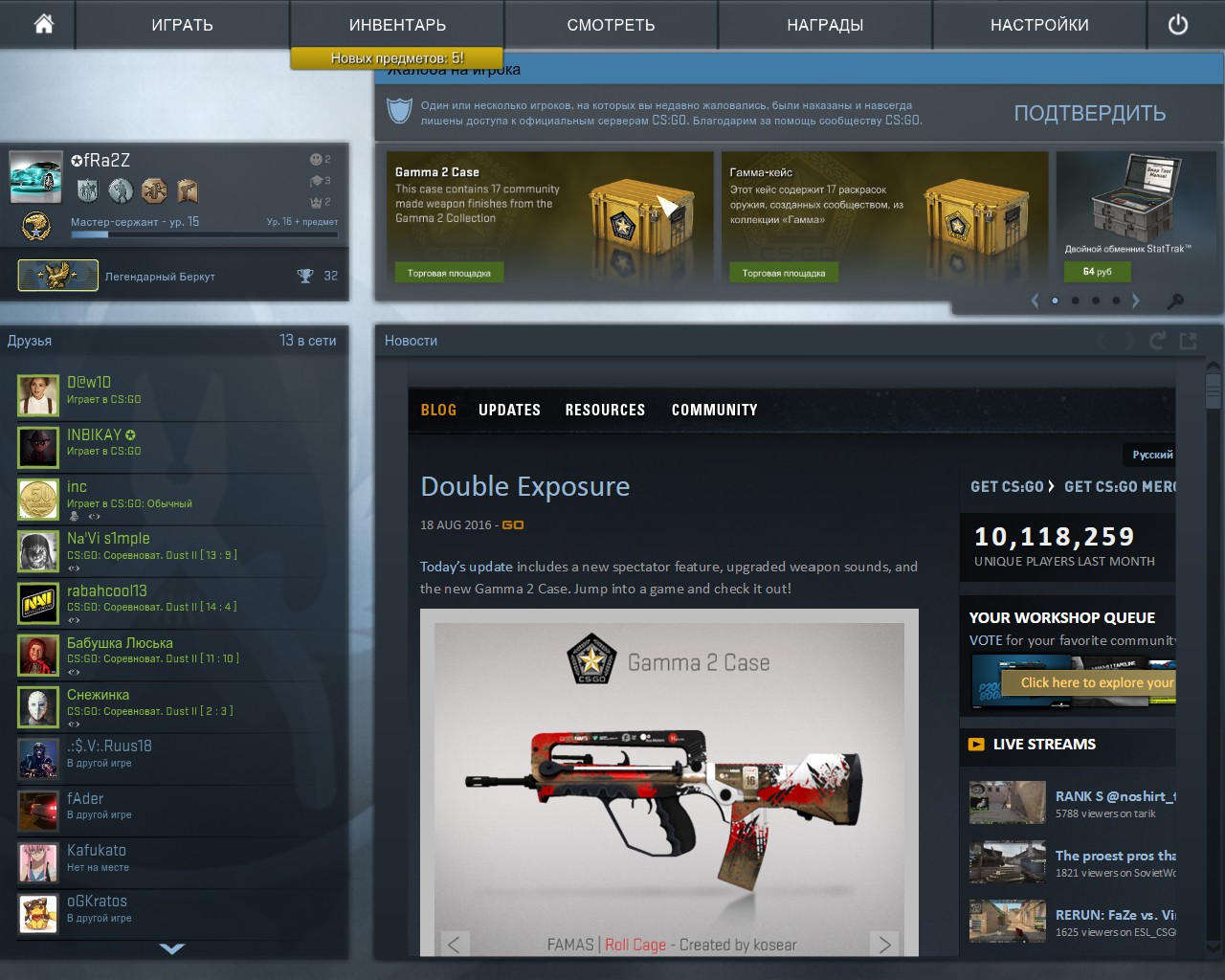
fra2jz config screenshot
fra2jz config Gear
| Mouse | - |
| Mousepad | - |
| Keyboard | - |
| Headset | - |
| Earbuds | - |
| Monitor | - |
| Chair | - |
| Controller | - |
| Case | - |
fra2jz config Gaming PC Setup
| GPU | - |
| CPU | - |
| Memory | - |
| Motherboard | - |
| Power Supply | - |
| Storage | - |
| Fan | - |
| Cooler | - |
fra2jz config config
The Counter-Strike 2 config file of fra2jz config has been downloaded 67 times. Download cfg.rar by clicking the download button below.
How to install fra2jz config cs2 config
1. Download cfg.rar by clicking the download button above.
2. Extract and/or copy file(s) into your Counter-Strike 2 folder (Example: C:\Program Files (x86)\Steam\userdata\STEAMID\730\local\cfg).
3. Launch the game and type in "exec configname.cfg" in console to load the config or make sure to add "exec autoexec.cfg", "exec userconfig.cfg" or "exec fra2jz config.cfg" to config.cfg file in your Counter-Strike 2 folder.
2. Extract and/or copy file(s) into your Counter-Strike 2 folder (Example: C:\Program Files (x86)\Steam\userdata\STEAMID\730\local\cfg).
3. Launch the game and type in "exec configname.cfg" in console to load the config or make sure to add "exec autoexec.cfg", "exec userconfig.cfg" or "exec fra2jz config.cfg" to config.cfg file in your Counter-Strike 2 folder.
Social Media
| Twitch | - |
| - | |
| YouTube | - |
| - | |
| - | |
| TikTok | - |
| Steam | - |
| Discord | - |
fra2jz config Settings
Monitor
| Resolution | 1024x768 |
| Aspect Ratio | 4:3 |
| Display Mode | - |
| Brightness | - |
| Color Mode | - |
Video Advanced
| Global Shadow Quality | - |
| Model / Texture Detail | - |
| Texture Streaming | - |
| Effect Detail | - |
| Shader Detail | - |
| Boost Player Contrast | - |
| Multicore Rendering | - |
| Multisampling Anti-Aliasing Mode | - |
| FXAA Anti-Aliasing | - |
| Texture Filtering Mode | - |
| Wait for Vertical Sync | - |
| Motion Blur | - |
| Triple-Monitor Mode | - |
| Use Uber Shaders | - |
Viewmodel
| FOV | - |
| Offset X | - |
| Offset Y | - |
| Offset Z | - |
| Presetpos | - |
| Shift Left Amt | - |
| Shift Right Amt | - |
| Recoil | - |
| Righthand | - |
Viewmodel commands
Launch Options
Mouse
| DPI | - |
| Sensitivity | 1.98 |
| eDPI | - |
| Windows Sensitivity | - |
| Zoom Sensitivity | - |
| Raw Input | - |
| Acceleration | - |
Crosshair
| Draw Outline | - |
| Alpha | - |
| Color | yello |
| Blue | - |
| Green | - |
| Red | - |
| Dot | - |
| Gap | - |
| Size | Littl |
| Style | - |
| Thickness | - |
| Sniper | - |
Crosshair commands
cl_crosshaircolor yello; cl_crosshairsize Littl;
cl_bob
| Lower Amt | - |
| Amt Lat | - |
| Amt Vert | - |
| Cycle | - |
cl_bob commands
HUD
Radar
FAQ
Summary
This page contains the in-game settings, config files (cfg) and hardware setup of fra2jz config. The fra2jz config cs2 settings page has been viewed for 1.663 since it was added on 2016-12-13. The last time the settings of fra2jz config were on 2016-12-13. Visit the cs2 settings page to view more Counter-Strike 2 settings like fra2jz config or visit upload section to add your own cs2 settings.
Other Counter-Strike 2 settings
| # | Name | Country | Last Update | |
| 1 | | Russia | 2024-04-20 | |
| 2 | |  Finland Finland | 2023-09-26 | |
| 3 | |  Mongolia Mongolia | 2026-02-05 | |
| 4 | |  Poland Poland | 2026-06-21 | |
| 5 | |  Australia Australia | 2022-08-18 |
Other Russia gaming settings
| # | Name | Country | Last Update | |
| 1 | | Russia | 2024-04-26 | |
| 2 |  | Russia | 2024-04-04 | |
| 3 | | Russia | 2020-02-22 | |
| 4 |  | Russia | 2022-10-10 | |
| 5 | | Russia | 2024-04-20 | |
| 6 |  | Russia | 2025-08-04 | |
| 7 |  | Russia | 2024-02-20 | |
| 8 | | Russia | 2024-04-26 | |
| 9 | | Russia | 2025-12-04 | |
| 10 | | Russia | 2024-03-31 |
Top 10 Games


New Setups
New Configs


Updated Gear
Updated Configs